The Analytics page shows who reads your sites, where they come from and what they read. You open it from the dashboard sidebar, right under Overview.
There is nothing to install. Hyphio counts real readers only, not bots, with Cloudflare Web Analytics built into every site. It uses no cookies, so by default your site needs no consent for it.
Figures on the Analytics page
At the top of the page, pick All sites or one site. Then pick a period:
- 7 days
- 30 days
- 90 days
| Figure | What it is |
|---|---|
| Visits | How many times readers came to your site, with the change against the previous period |
| Page views | Pages real readers opened, not counting the admin |
| Emails sent | Email your sites sent in the period |
| Visits by day | One bar per day, in UTC |
| By site | Each site’s visits, page views and change, when you look at all sites |
| Top pages | The pages read most, by page views |
| Sources | Where readers came from, such as another site or a search engine. Direct when there is no referrer |
| Countries and Devices | Where readers are, and whether they use desktop, mobile or tablet |
Sources, countries and devices count visits.
Figures update every hour. A new site shows its first figures within an hour.
How Hyphio counts real readers
- Only real browsers count. Every page of your site carries a small Cloudflare Web Analytics script. It runs only when the page opens in a browser, so crawlers aren’t counted.
- A visit starts when someone arrives from another site or types the address. More pages in the same visit add page views, not visits.
- No cookies. The script sets no cookie and stores nothing on the reader’s device.
- Your own domain counts together with the site’s
.hyphio.ccaddress. - Pages, sources, countries and devices keep the top 10 per site per day. Hyphio keeps them for 90 days.
- Real-reader figures start on 23 November 2026. Earlier days show a dash.
The Usage tab still counts every page your site served, bots included, because bots use your site’s resources too.
Counting under GDPR
In each site’s Integrations tab, Visit counting (GDPR) has three choices:
| Choice | When to use it |
|---|---|
| Always count, no cookies | The default, and the most complete figures |
| Only visitors who accept cookies | You want a strict GDPR setup. The site’s cookie banner must be on. Visitors who decline aren’t counted, so figures come out lower than reality |
| Off | Hyphio counts nothing on the site, and its Analytics page stays empty |
If you added your own Cloudflare Web Analytics to a site, Hyphio steps aside and doesn’t count that site.
Why figures differ from Google Analytics
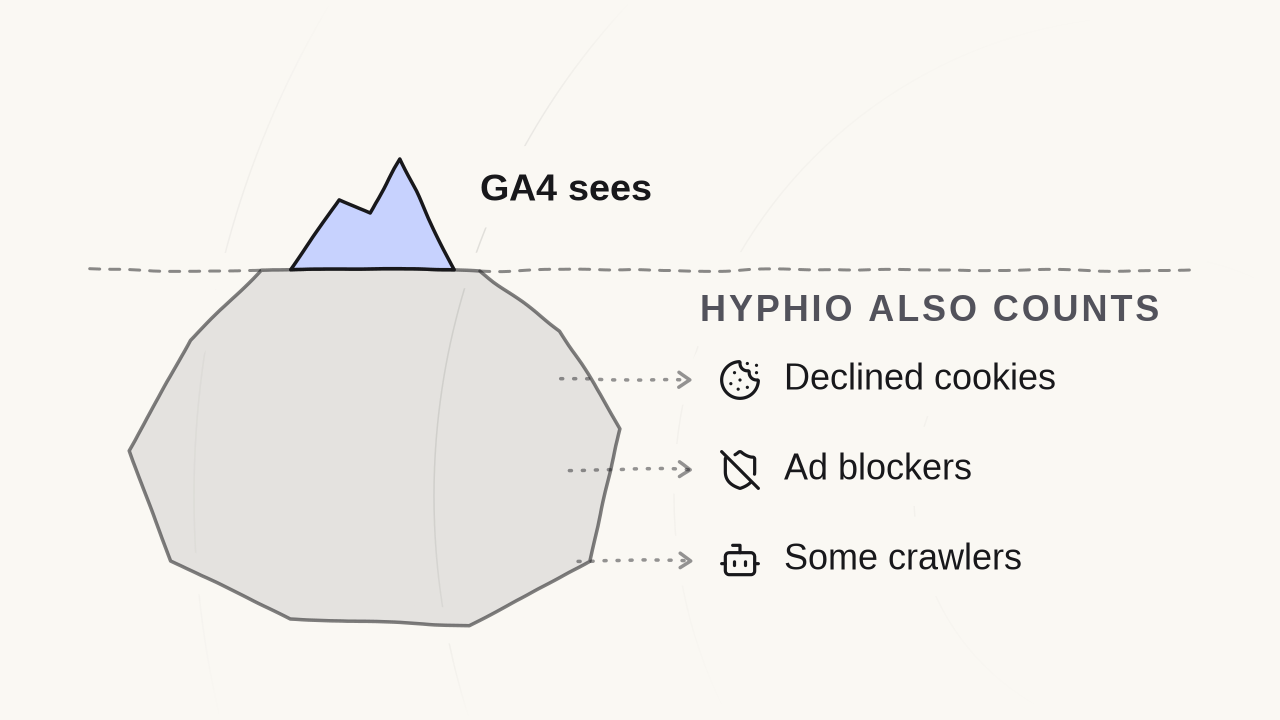
It’s normal for the two to disagree, because they count different things:
| Hyphio Analytics | Google Analytics 4 | |
|---|---|---|
| How it counts | A Cloudflare script in the browser, no cookies | A script in the browser, with cookies |
| Visitors who decline cookies | Counted, unless you chose to count only visitors who accept | Not counted, since GA4 loads only after consent |
| Ad blockers | Sometimes blocked | Often blocked |
| Crawlers | Not counted | Mostly filtered out |
| Days | UTC | Your property’s time zone |
In short: use Hyphio’s figures to compare your sites and periods with each other. Use GA4 when you need sessions, events and conversions.
Make sense of odd figures
- A jump in one day usually means a post was shared. Check that day’s Sources.
- Analytics far below the Usage tab is normal: Usage counts bots too, Analytics counts people only.
- Direct is visits with no referrer. These are typed addresses, bookmarks, and links from apps or emails.
- A drop after you connect a domain is usually readers still using the old address. The old address keeps working, and visits on both addresses are counted together.
Need more detail?
Connect Google Analytics 4 to see sessions, events and conversions in your own Google Analytics account. Hyphio can’t read that data.
The site’s own Usage tab shows this month’s page views (bots included), storage and email against what each site includes.
Related pages
- To connect your own domain to a site, see Connect your domain.
- To learn how your site sends email, see Site email.
- To understand how Hyphio runs your site, see How Hyphio works.