When a client’s site is ready, you create a handover link and send it to your client. They open it, sign in and accept the site into their own Hyphio account. Your client becomes an admin in the EmDash admin and pays from the next period on. Sending a handover is part of the Agency plan; your client can be on any plan.
Which sites can be handed over
A site can be handed over when all 4 conditions are met:
- You own the site on Hyphio.
- The site is live and paid for. A site on trial or not paid yet can’t be handed over.
- The site has no custom domain waiting for verification. Finish or remove that domain first.
- If your client is on Solo, their account has fewer than 50 sites, the most on Solo. An Agency account has no limit.
Hand over a site
You create the link, send it, and your client accepts the site.
Create a handover link. In the dashboard, open the site and go to the Handover tab. Enter your client’s email and choose whether to keep your admin access in the EmDash admin. Click Create handover link.
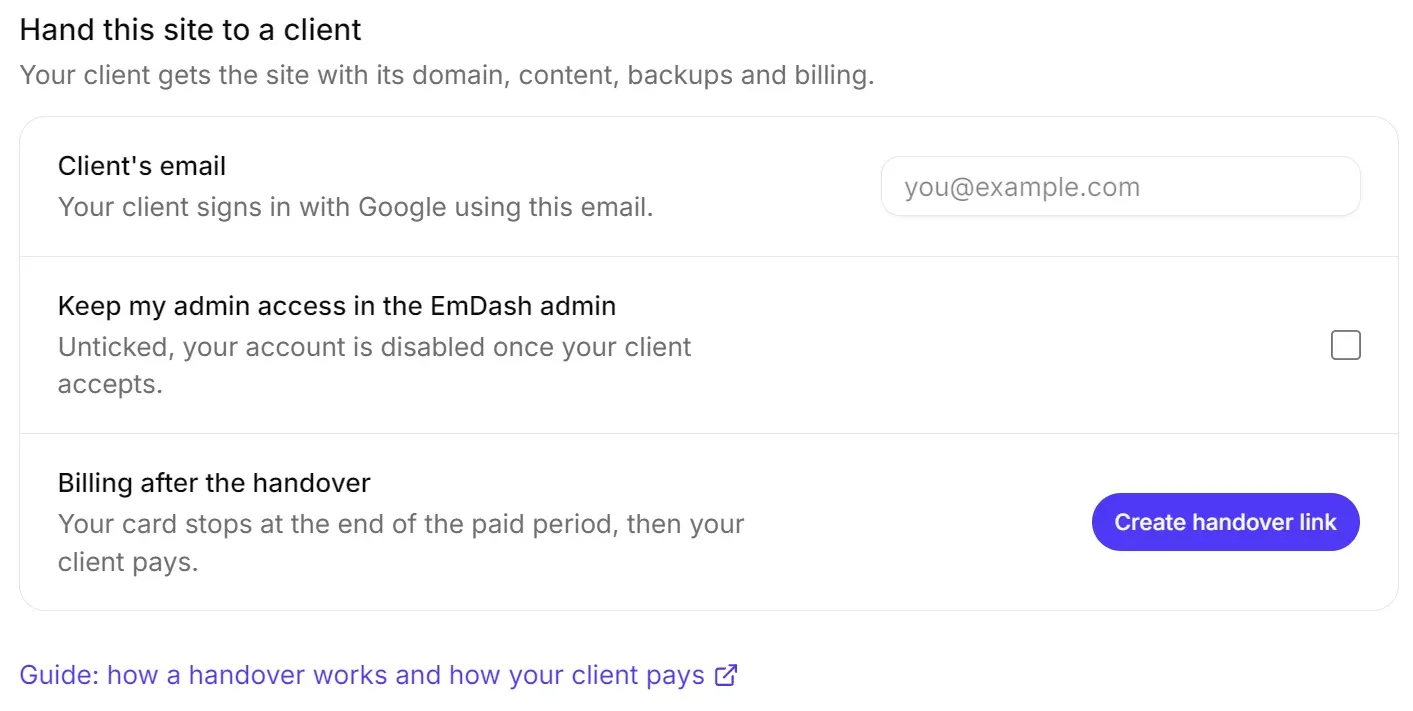
The handover form Send the link to your client. Copy the link and send it the way you usually talk to them, such as email or chat. Hyphio doesn’t email it.
Your client opens the link, signs in and clicks Accept site. They sign in with the Google account that has exactly the email you entered. If they don’t have a Hyphio account yet, signing in creates one.
They see what will change, pick the workspace to put the site in, and confirm. The site moves to their account right away.
Someone signed in with another email can’t accept, so a leaked link does nothing. The link expires after 7 days. Each site has at most 1 waiting link, so creating a new one stops the old one.
To take it back, click Cancel invite on the Handover tab. Your client can also click Decline, and the site stays with you. To give the site back to you, your client creates a new handover link for you with the same steps.
What changes when your client accepts
The site, its custom domain, content, backups and email settings move to your client’s account. The site’s address doesn’t change, and its visitors notice nothing. These things change:
-
A new admin. Your client’s email becomes an admin in the EmDash admin. They sign in with a link sent to that email.
-
If you didn’t keep access. Every editor and admin other than your client is disabled, including your account and any you added for your team. Also:
- every other API token and open invite is removed
- the webhook is cleared
- form notifications go to your client’s email
Posts keep their authors. Your client can turn people back on in the EmDash admin, under Users.
-
If you kept access. You stay an admin in the EmDash admin. Your client can remove you under Users.
-
Your dashboard. Either way, the site no longer shows in your Hyphio dashboard.
-
The site’s email. If the site sends email through Hyphio, its Reply-To address becomes your client’s email. A site on its own SMTP server keeps those settings, and your client can change them on the Email tab.
How your client pays
Your client keeps the time you already paid for. From the next period on, they pay $5 (or 129.000 ₫) per site per month themselves, like any other site.
| You pay for the site with | When your client accepts | After that |
|---|---|---|
| Prepaid balance | The month you paid moves to your client | When it ends, Hyphio takes the next month from your client’s balance |
| Card | Your card plan stops at the end of the period you paid, so you’re not charged again. Your client keeps the site until that date | From that date, Hyphio takes each month from your client’s balance |
Example: you paid by card until December 15 and your client accepts on December 1. Your client uses the site until December 15 at no cost. On December 15, Hyphio takes one month from their balance.
A handover also changes 3 things about money:
- Your client’s trial ends. If your client is still on their free trial, accepting the site ends it. From then on every site in their account needs to be paid for. They see this before they confirm.
- The early bird price stops. An early bird price, if you have one, belongs to your card plan, so it ends with it. Your client pays the regular price.
- Payment history stays with you. Your payment history from before the handover stays in your account.
When your client’s balance is short
Your client tops up their balance on the Billing page (how billing works). English accounts top up in USD by card. Vietnamese accounts top up in VND by bank transfer.
If the balance doesn’t cover a month when it’s due, there are 2 cases:
- Your client saved a card and left Use my saved card when the balance is short on. Hyphio charges $5 to that card. This switch is on by default, in Settings → Billing.
- Your client has no card or turned the switch off. The site is paused like any unpaid site and deleted 7 days later unless it’s paid.
Related pages
- To pick a workspace for your client’s site, see Workspaces and team members.
- To see how your client signs in to the admin, see Sign in to your site’s admin.
- To change how the site sends email, see Site email.