Every Hyphio site comes with a small set of official EmDash plugins and 2 plugins Hyphio made itself. Hyphio has tested the official ones with your site’s EmDash version. They all start off, so you turn on only what you use. Hyphio’s 2 plugins are always on and add nothing to a page that doesn’t use them.
Plugins every site gets
| Plugin | What it does | Good for |
|---|---|---|
| Forms | Contact and sign-up forms you add to any page or post. Submissions are kept in the admin and sent to you by email. You can export them as CSV. A hidden spam trap is on by default. | Contact pages, lead forms, event sign-ups |
| Embeds | Put posts from X (Twitter), Bluesky and Mastodon, GitHub Gists and link previews in your posts. YouTube, Vimeo and your own video already work without it. | Blogs that quote social posts |
| Audit log | Records who created, edited or deleted posts and media, and when. | Teams and agencies |
| Webhooks | Notifies a URL you choose (Zapier, Make, Slack…) when posts or media change. | Sending new posts to other tools |
| Analytics & embed codes | Adds Google Analytics, Tag Manager, Meta Pixel, Plausible, Umami or Cloudflare Web Analytics by ID. Verifies your domain for Google Search Console, Bing and Facebook. Comes with a cookie consent banner. | Tracking and verification |
| Video player | Hyphio’s own player for videos you upload, YouTube links and TikTok links. It has chapters, captions and playback speed. YouTube and TikTok load only when a visitor presses play. | Tutorials, product demos, vlogs |
Turn a plugin on or off
Turn plugins on and off in the dashboard, not in the admin. The dashboard’s switch is the one that holds for the whole site.
In the dashboard, open the site’s Configuration tab, Plugins section.
Switch on the plugins you need and save. The site changes within a minute, with no rebuild.
Set each plugin up in the site’s admin, under Plugins.
Analytics & embed codes stays on
This plugin can’t be turned off. Until you add an ID, it adds nothing to your pages.
The plugin holds the cookie consent banner. Tracking, such as Google Analytics or code you add, only runs after a visitor agrees. This is what GDPR and Vietnam’s Decree 13/2023 require. You can change the banner in the admin, under Plugins.
The easiest way to add Google Analytics is the site’s Integrations tab.
Video player is always on
Hyphio’s video player plays the videos in your posts and pages with one look. Every source gets it: a video you uploaded, a YouTube link or a TikTok link. This plugin can’t be turned off. A page without a video loads nothing extra.
What the player does
- Private until play. YouTube and TikTok show a picture of the video, served from your own site, and a play button. Nothing is loaded from YouTube or TikTok until the visitor presses play. This keeps your pages fast and fits GDPR.
- Chapters on the timeline, for uploaded videos and YouTube.
- Captions for uploaded videos, from a WebVTT (
.vtt) file. - Playback speed. The volume and speed each visitor picks are remembered from one video to the next.
- One video at a time. Starting one pauses the others on the page.
- Buttons in your site’s language.
Add a video to a post
- In the site’s admin, open the post or page. Type
/in the content where the video goes. - Pick Video player. Don’t pick the plain Video, which is EmDash’s own block.
- Paste a YouTube or TikTok link, or choose a video you uploaded under Uploaded video.
- Add a title. It shows on the video’s picture and is read by screen readers.
- Add options if you need them:
- a poster image
- the shape: wide, upright or square
- chapters: a start time like
1:23and a title each - captions: the address of a
.vttfile, uploaded videos only - loop
- Insert the block, then save or publish.
Why you can’t install plugins
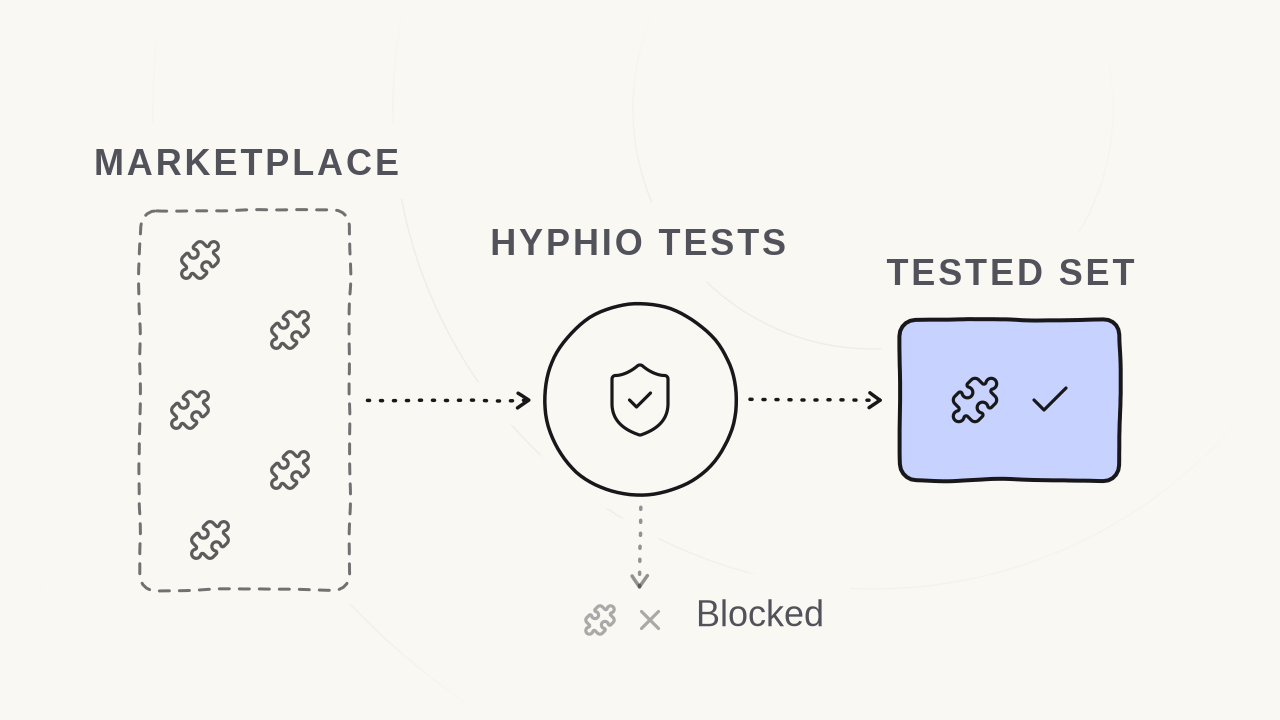
EmDash plugins run with your site’s full rights. To keep every site safe, Hyphio blocks installing plugins from the marketplace or registry. Only the plugins every site gets can run.
Search, SEO fields, redirects, the sitemap and comment moderation are already built into EmDash. You don’t need plugins for them.
Need something these plugins don’t cover? Tell Hyphio. Hyphio adds plugins once it has tested them.
Related pages
- To change the site’s other settings, see Configuration.
- To open the admin and set up a plugin, see Sign in to your site’s admin.
- To learn how Hyphio keeps sites safe, see Security.